
Hey there! In our busy lives, who doesn’t love a bit of extra convenience, especially right by your bed? A wireless charging nightstand lets you ditch those messy cables and just drop your phone or earbuds on the surface to power up overnight. If you’re into customizing your space or even building something from scratch, this guide’s for you.
ONEPOINTECH is all about smart wireless solutions. For example, our wireless charger insert that you embed by drilling a quick hole, or our under-table wireless charger that works through 20-50mm of material without touching the surface.
Let’s get into how you can make this happen with a fun DIY project.
What is a Wireless Charging Nightstand?
Simply put, a wireless charging nightstand is your bedside table upgraded with built-in wireless tech. It uses electromagnetic magic to charge Qi-compatible gadgets—no plugs needed.
These setups are great for personal use or even bigger projects, like outfitting hotel rooms or office furniture. And the best part? You can DIY it to fit exactly what you need, using reliable chargers that integrate perfectly.
DIY Wireless Charging Nightstands: Your Custom Option
Why buy off-the-shelf when you can create something tailored? A DIY wireless charging nightstand means embedding a charger into your existing table or building one from the ground up. It’s straightforward, rewarding, and way more affordable for bulk setups if you’re in the furniture biz.
ONEPOINTECH got two killer options to make this easy.
- Wireless Charger Insert: This one’s for a clean, embedded look—drill a hole, pop it in, and you’re set.
- Under-Table Wireless Charger: From our Stealth lineup, this charges right through thick surfaces (up to 50mm) with zero drilling involved.
Whether you’re upgrading a thrifted find or designing for clients, these turn any nightstand into a charging powerhouse. Curious? Check out details for under surface wireless chargers here.
How to Pick the Best Wireless Charger for Your Nightstand
Choosing the right charger boils down to what fits your setup and lifestyle. Here’s what to think about:
- Charging Speed: Go for 10-15W to keep things quick.
- Device Compatibility: Make sure it plays nice with your stuff—like iPhones, Samsungs, or Pixel phones. We’ve got a handy chart below.
- Surface Thickness: If you’re going under-table, check the range—ours handles 20-50mm no problem.
- Safety Perks: Look for overheat protection and smart detection to avoid mishaps.
- Budget and Scale: These are budget-friendly, especially in bulk for businesses.
If you’re a furniture maker, hit us up—our chargers can boost your products’ appeal big time. Contact us at info@onepointech.com for details.
Step-by-Step DIY Guides
Time to roll up your sleeves! These tutorials are newbie-friendly and use basic tools. We’ll cover both our main products.
Installing a Wireless Charger Insert (Drill-Hole Style)

This method gives you that pro, flush finish. Yeah, it involves a drill, but it’s super simple.
- Prep Your Stuff: Grab our wireless charger insert, your nightstand (wood works best), a drill with the right bit size (say, 60mm to match the insert), some sandpaper, and maybe adhesive.
- Mark It Out: Pick a spot on top—like near the lamp—and mark the center.
- Drill Time: Make a clean hole. Sand it smooth.
- Pop It In: Fit the charger snugly, and route the power cable neatly.
- Test Drive: Drop your phone on it—bam, charging starts. Add a little mark if you like.
It’s quick (30-45 minutes), and the result looks factory-made. Great for folks who don’t mind a bit of DIY elbow grease.
Grab Your Wireless Charger Insert Here —we’ve got deals for bulk buyers!
Installing an Under-Table Wireless Charger (No-Drill Needed)
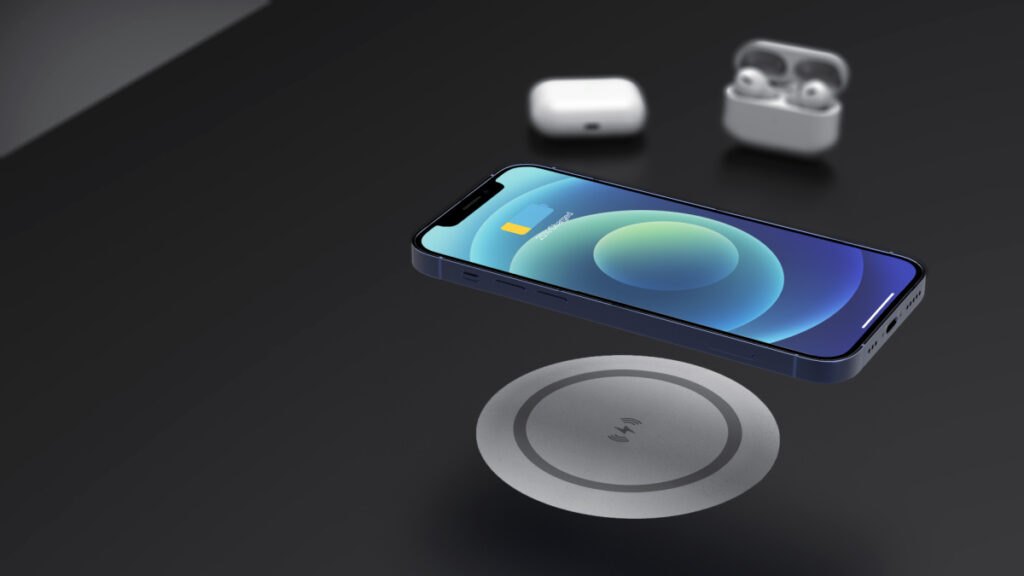
Want to keep your nightstand pristine? This Stealth charger is your buddy, powering through wood or glass effortlessly.
- Gather Up: Our under-table charger, and a pencil.
- Position It: Find the spot and stick the charger (it comes with tape) right under where you want the charging spot.
- Surface Marker: Place the resonator pad on top(align with the charger) so you know where to place your device.
- Give It a Go: Set your phone down—it’ll charge wirelessly through up to 50mm.
Done in 15-20 minutes, and no permanent changes. Ideal for antiques or rentals.
Browse Under-Table Wireless Chargers—let’s chat about custom fits.
Head-to-Head: Insert vs. Under-Table Charger
Stuck deciding? Check this out:
| Feature | Wireless Charger Insert (Drill-Hole) | Under-Table Wireless Charger (20-50mm) |
|---|---|---|
| Installation | Requires drilling hole | No drilling, affix underneath |
| Charging Distance | 2-8mm | Up to 50mm |
| Cost | Low (product only) | Moderate |
| Customization | High (fit any nightstand) | High |
| Best For | DIY enthusiasts | Non-invasive upgrades |
| Shop Link | Buy Inserts | Buy Under-Table |
Why Go for a Wireless Charging Nightstand?
Beyond the cool factor, here’s why it’s a game-changer:
- No More Mess: Cables? What cables?
- Morning Boost: Devices ready when you are.
- Biz Edge: Our partners, like those using it in big setups, see sales jump—think 30% more appeal.
- Safe and Smart: Built-in safeguards keep everything running smooth.
One hotel we worked with upgraded their rooms and cut down on outlet gripes by half. Real results!
Common Questions
- Drill or no drill for under-table? Nope—works through 20-50mm straight away.
- Works with my phone? If it’s Qi-ready, yes.
- Bulk deals? Absolutely—reach out for quotes.
Wrapping It Up
Turning your nightstand into a wireless charging station is easier than you think, especially with our wireless charger insert for that embedded vibe or the under-table option for hassle-free power. It’s all about making life simpler, right?
Jump on those bulk discounts while they last! Shoot Us a Quote Request or sign up for our newsletter to stay in the loop on wireless tips. Questions? Drop a line at info@onepointech.com or WhatsApp +86 15618775325. We’re around the clock.